UX development · 2021 – 2023
Pharmacy Inventory Management System
PIMS is the warehouse system Texas DSHS uses to receive, store and distribute medication for its public health programs.
Warehouse staff receive and pick stock on handhelds. Supervisors manage purchase orders, clinic orders and inventory on the desktop.
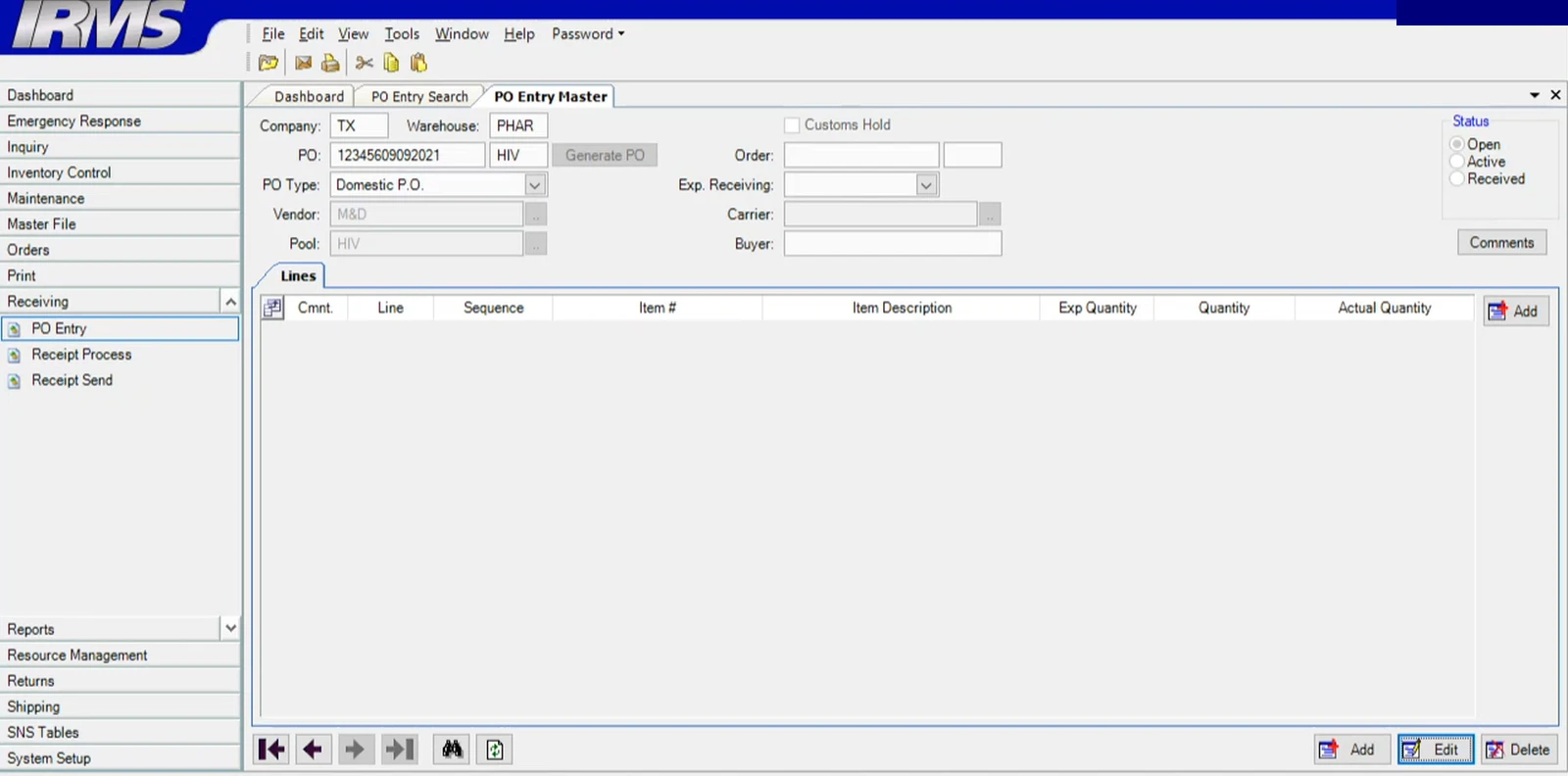
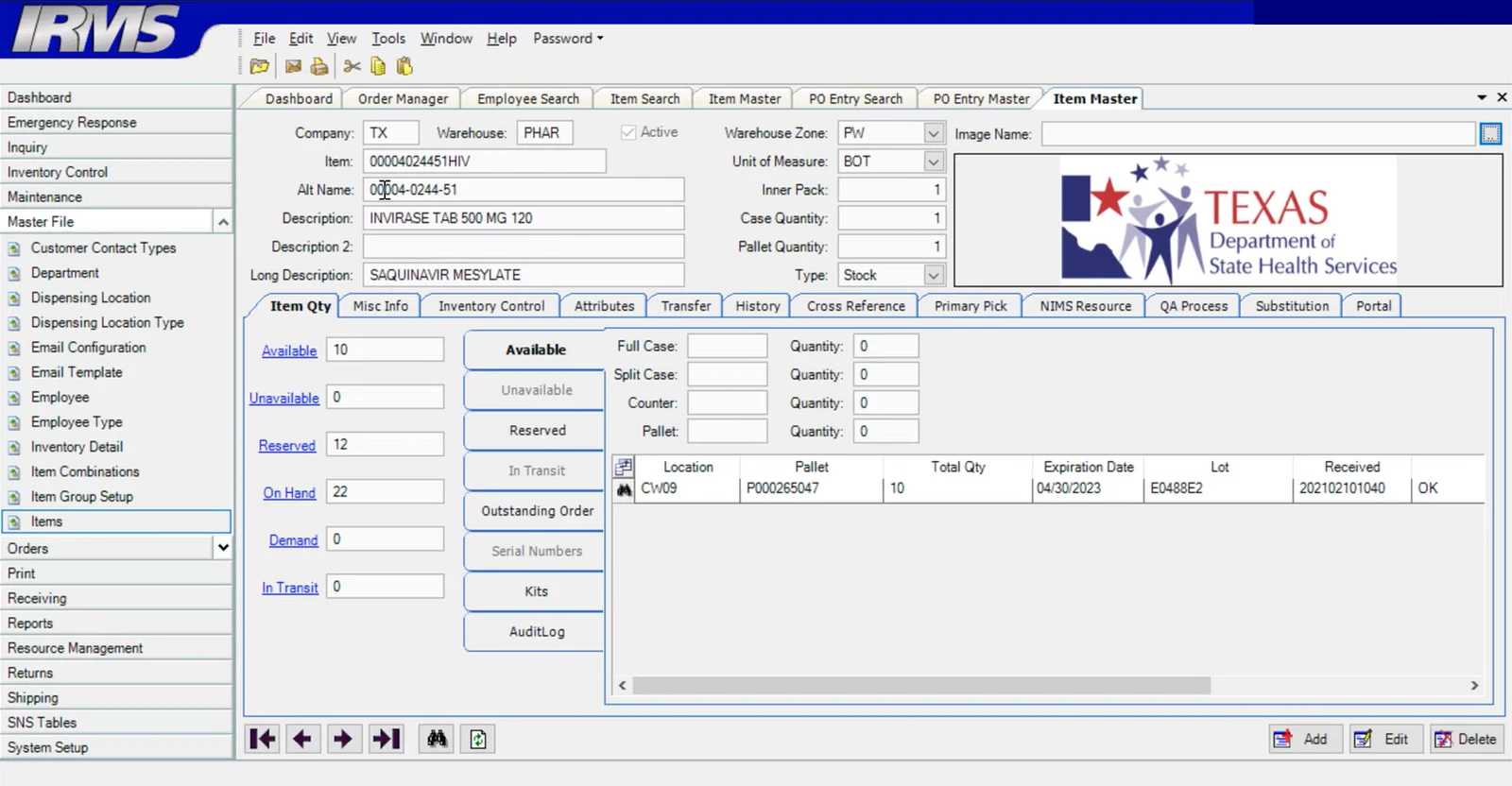
Application records did not reliably match stock on the shelves or the progress of an order. Staff relied on experience, then corrected the records manually.
I redesigned the desktop and handheld workflows and implemented the React front end. I owned the interface and its decisions; the services and the data model belonged to the wider team.
- Role
- UX Developer, contract
- Year
- 2021 – 2023
- Built
- React front end and components
- Devices
- Desktop and Zebra TC52
- Status
- Test environment · Nov 2023
On this page
The problem
- Inaccurate records. Shelf availability and order status could differ from what staff found in the warehouse. They checked the floor and manually corrected the application.
- Slow and unreliable workflows. The application was slow and crashed during work, with disruption particularly noticeable during COVID.
- Difficult onboarding. New staff depended on experienced colleagues to learn the process and its workarounds.
- Accessibility barriers. The old interface was difficult to use, including status information conveyed only through color.
- Separate scanning workflow. A screenless barcode scanner and a separate application added another step between warehouse activity and the order record.
Decisions
The record carries item, lot, location and quantity at every movement.
- Because
- The discrepancies came from movements the record never saw. A receipt that recorded the item but not where it went is how the shelves and the application drifted apart.
- What it cost
- More to capture on the handheld at each step. The flow reads item, lot and expiry from the case label rather than asking for them, so the extra fields cost a glance, not typing.
One handheld application in the browser, in place of the screenless scanner and its separate program.
- Because
- Two systems between the floor and the record is where the record fell behind. A scan that lands in a different application is a scan someone has to reconcile later.
- What it cost
- A visual interface on a small industrial screen, and staff who had scanned without looking now had to look. The screens keep one decision each so the glance stays short.
Status in words beside colour, and the program on every order row.
- Because
- Status by colour alone was unreadable to some staff, and program allocation was the one rule the warehouse could not break. Mapping the five operations as swimlanes is what showed program running through every one of them, which is why it is on the row and not in a filter.
- What it cost
- A denser table. The column is another thing to scan, and I would still test where program can be inherited for a task and shown once, as long as it stays explicit where staff compare records.
Desktop first, then the handheld. The one I would reverse.
- Because
- The desktop had the most screens and the most visible problems, so it looked like the larger job.
- What it cost
- The handheld's constraints, the screen size and the scan itself, arrived late and reshaped the flows. Starting with the floor task would have set those constraints first and let the desktop follow them.
What shipped
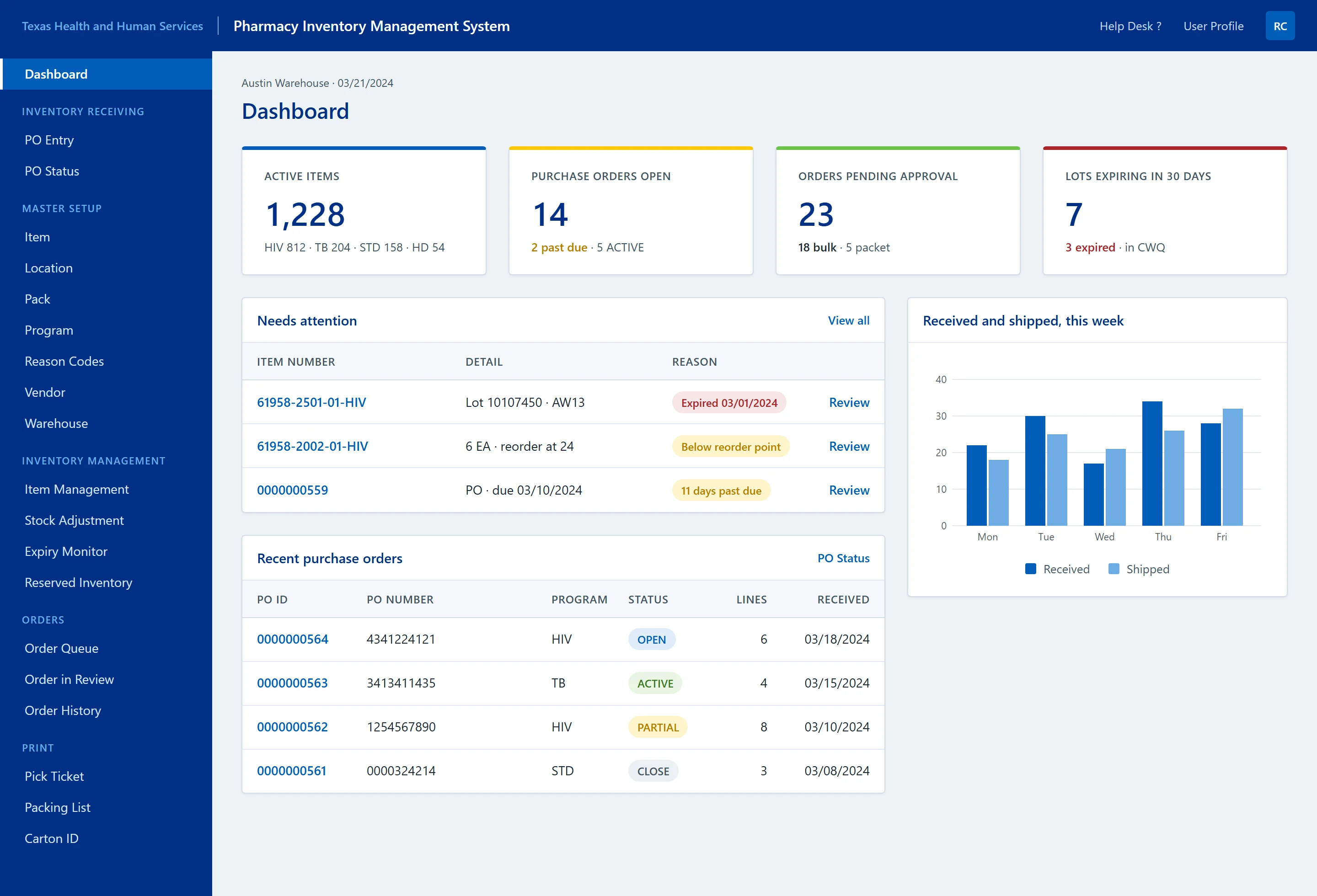
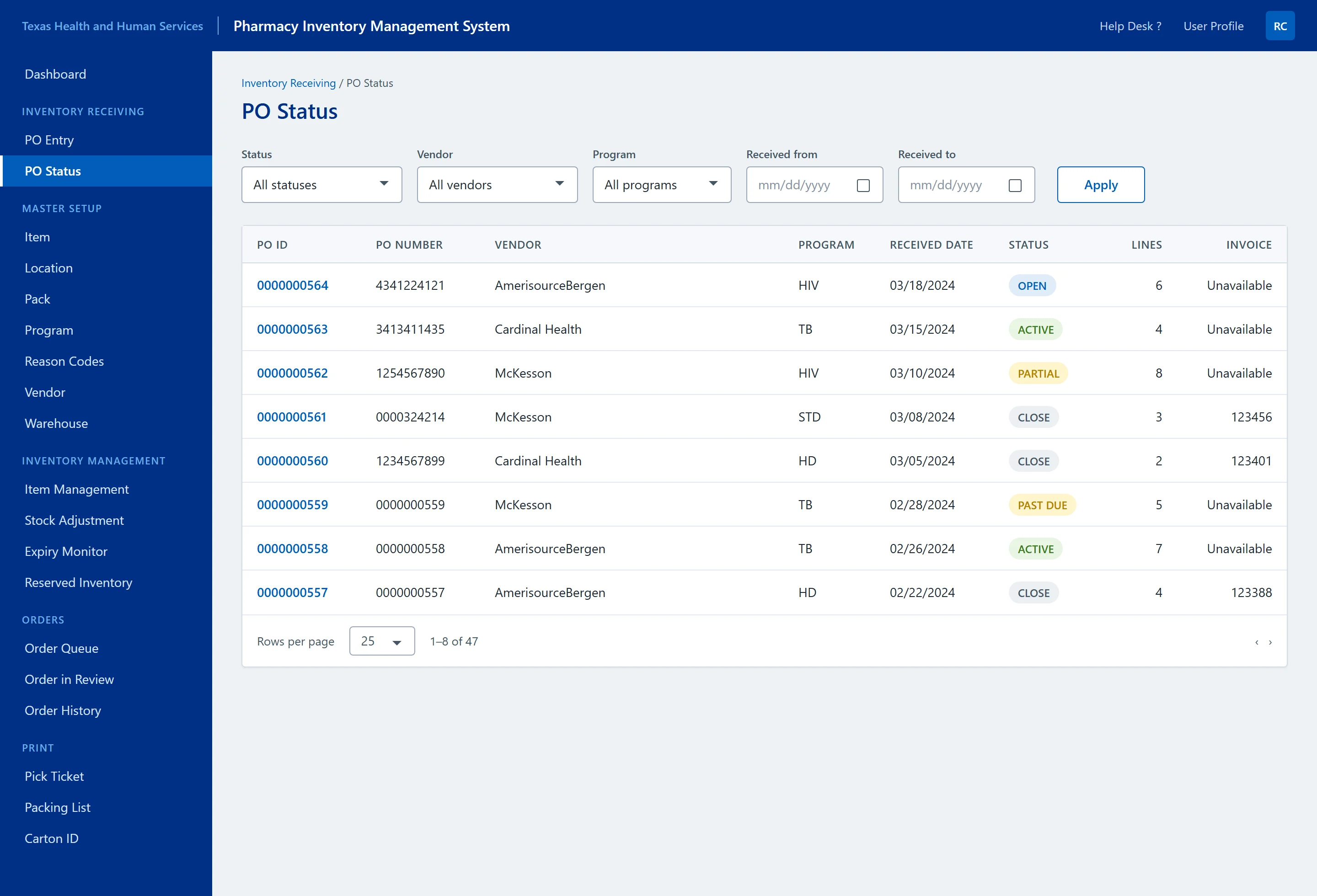
The screens below are portfolio reconstructions with illustrative records and dates. They explain the interface decisions; they are not production captures or measured results.
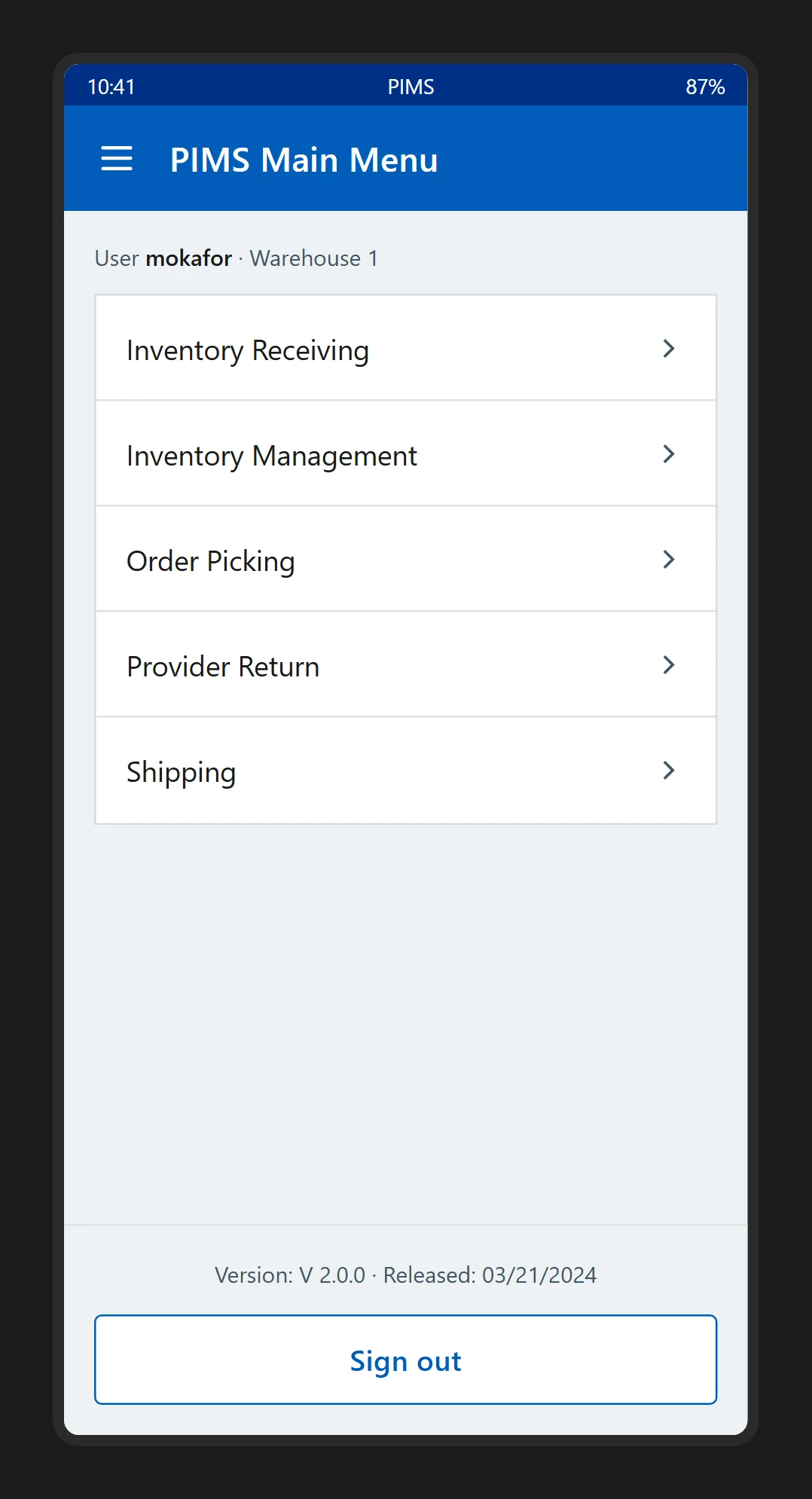
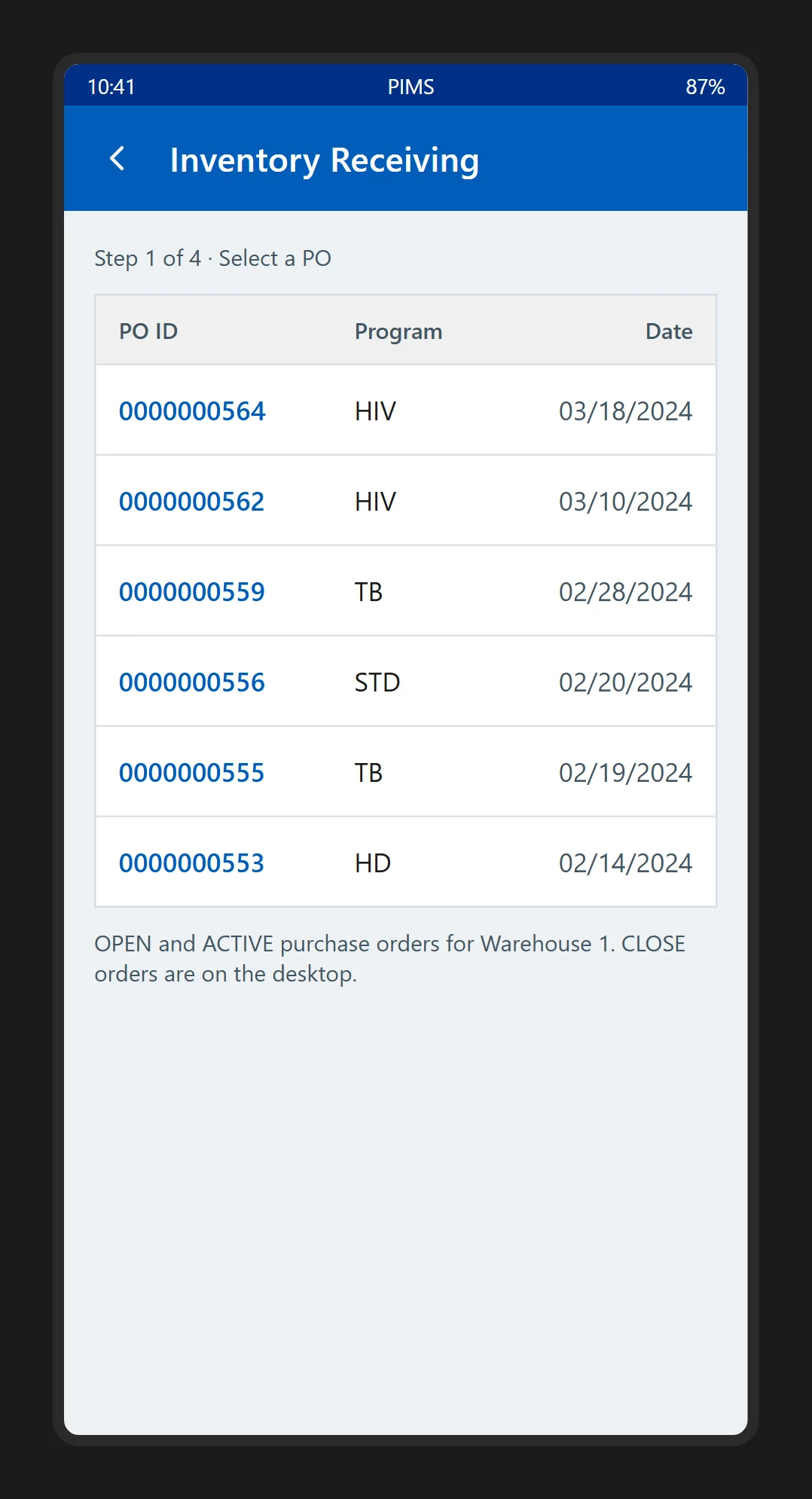
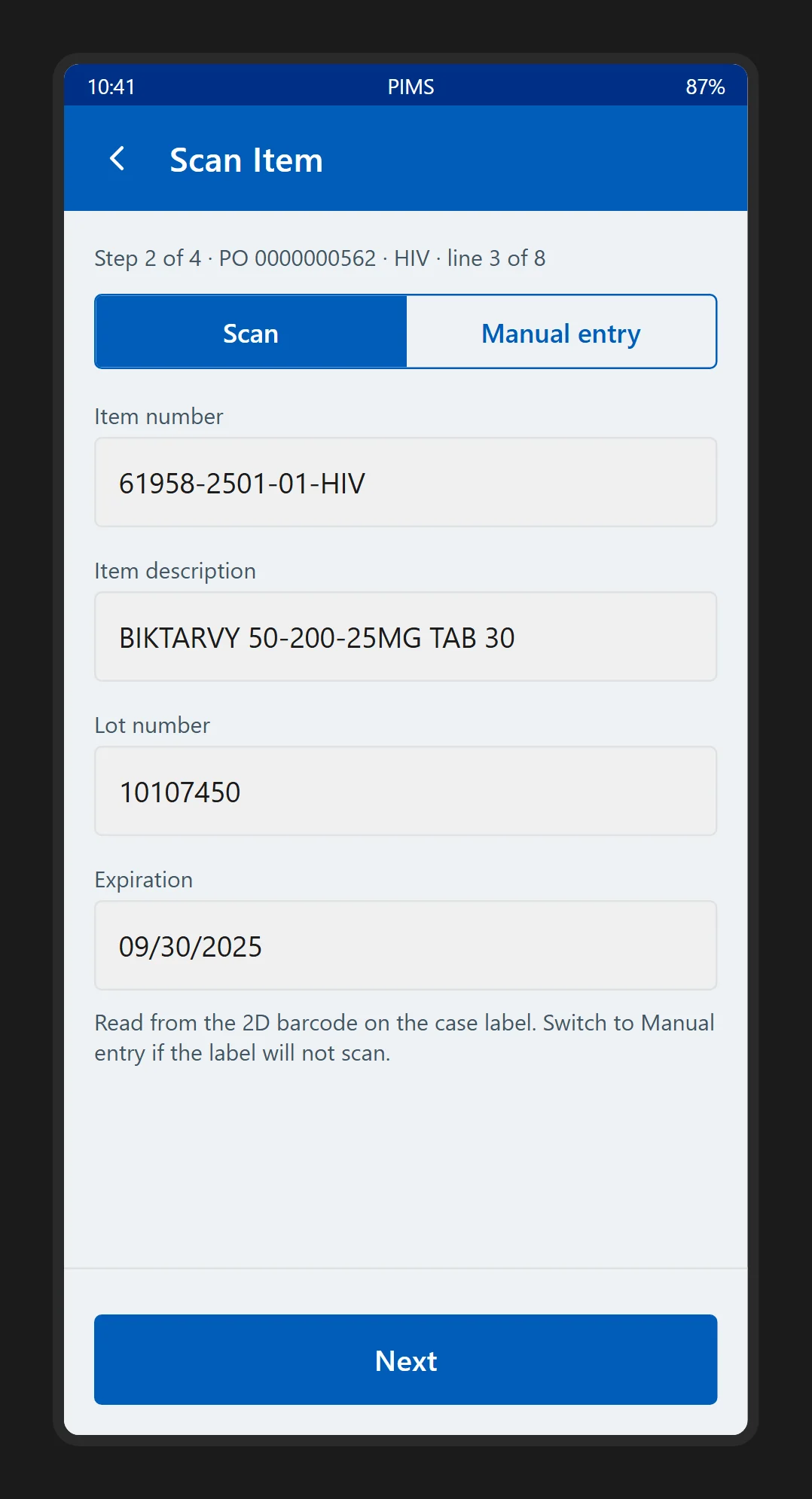
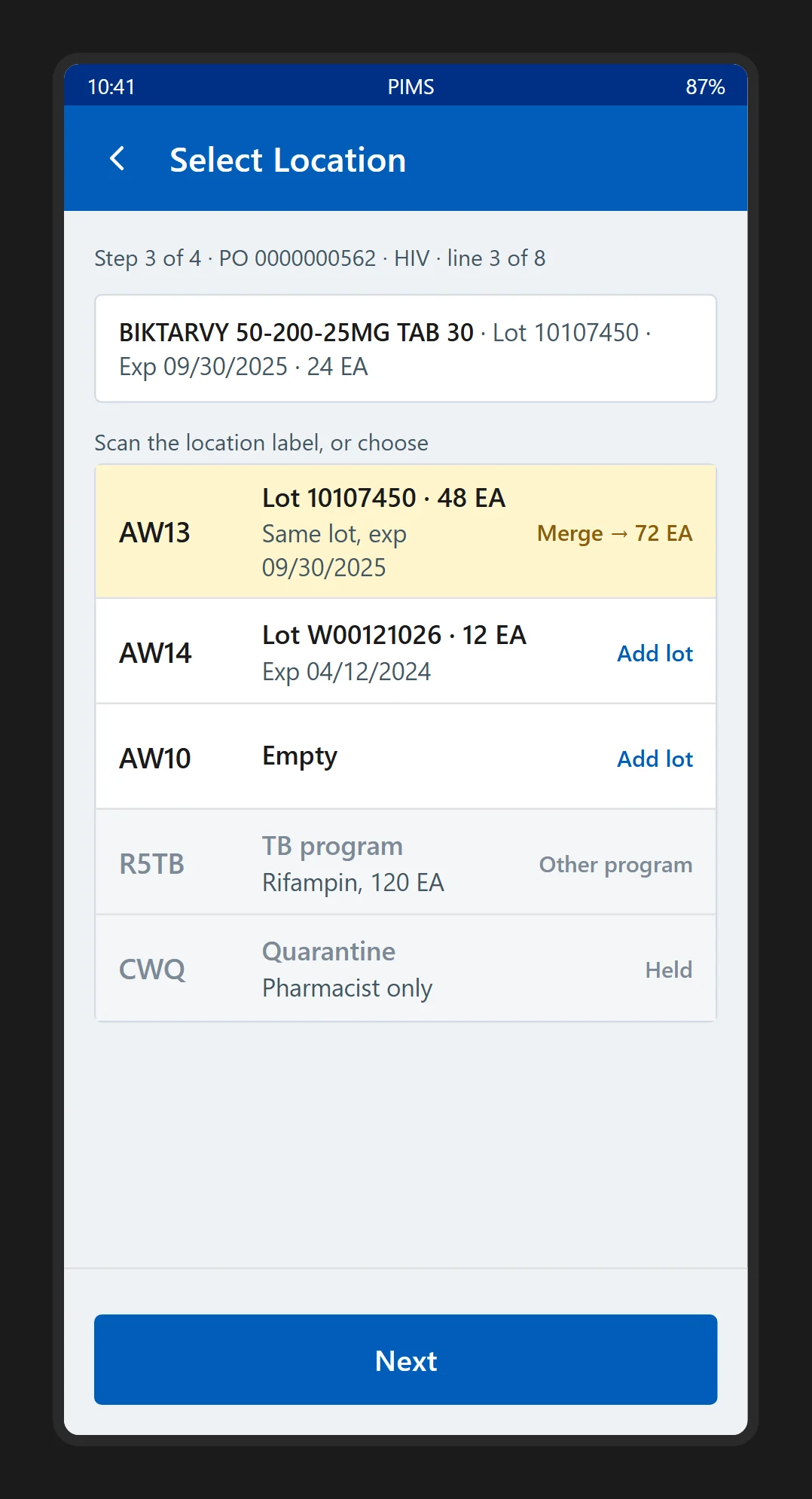
1. Receive stock through a guided handheld flow
Decisions one and two, on the Zebra TC52. Select a purchase order, scan or enter an item, choose a location, review the receipt. Each screen holds the information for its one decision and nothing else.
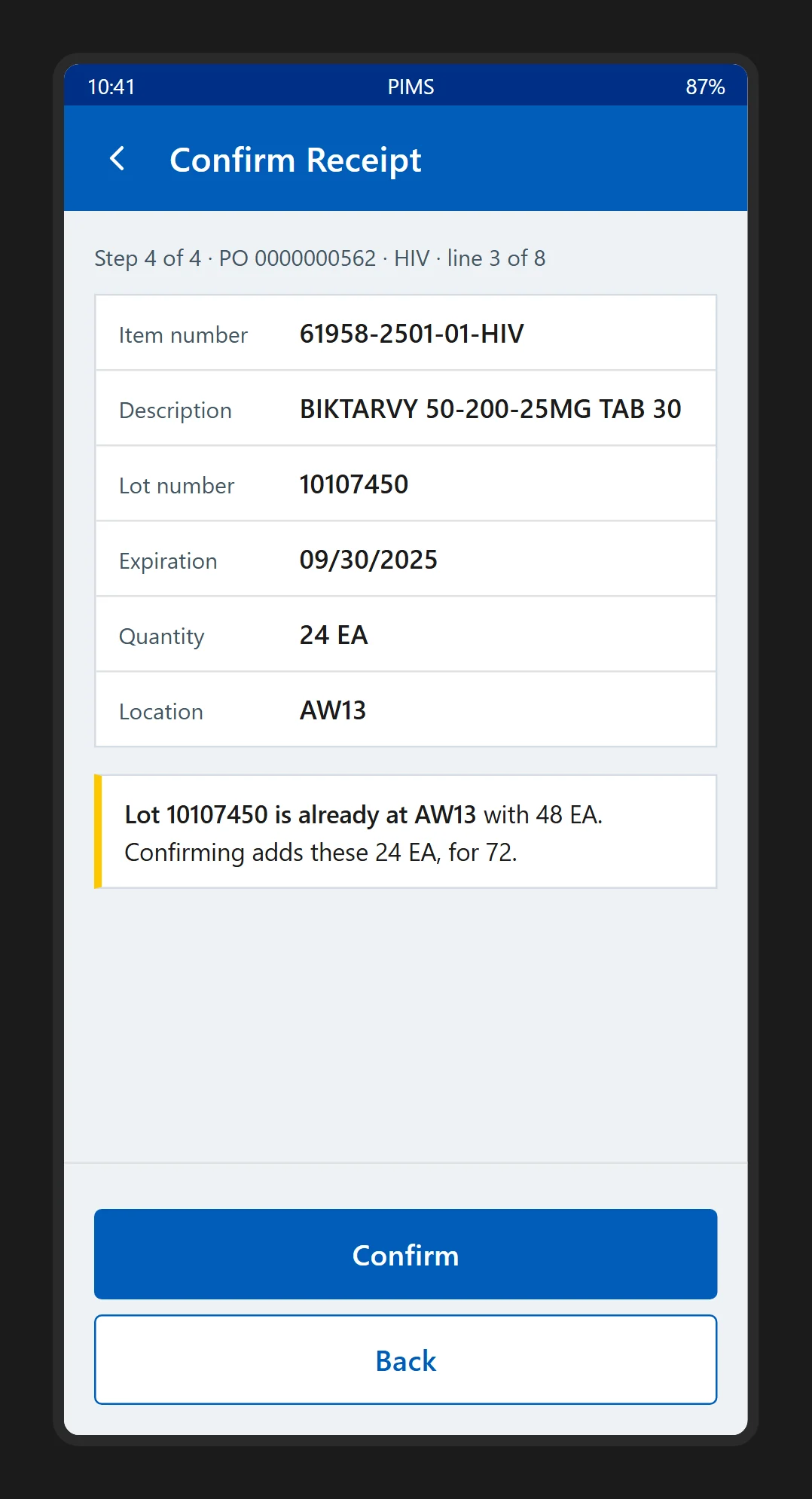
Step 1 of 5 · Reconstruction · Illustrative data. Start with the warehouse task: receiving, inventory, picking, returns or shipping.
2. Find stock by lot and location
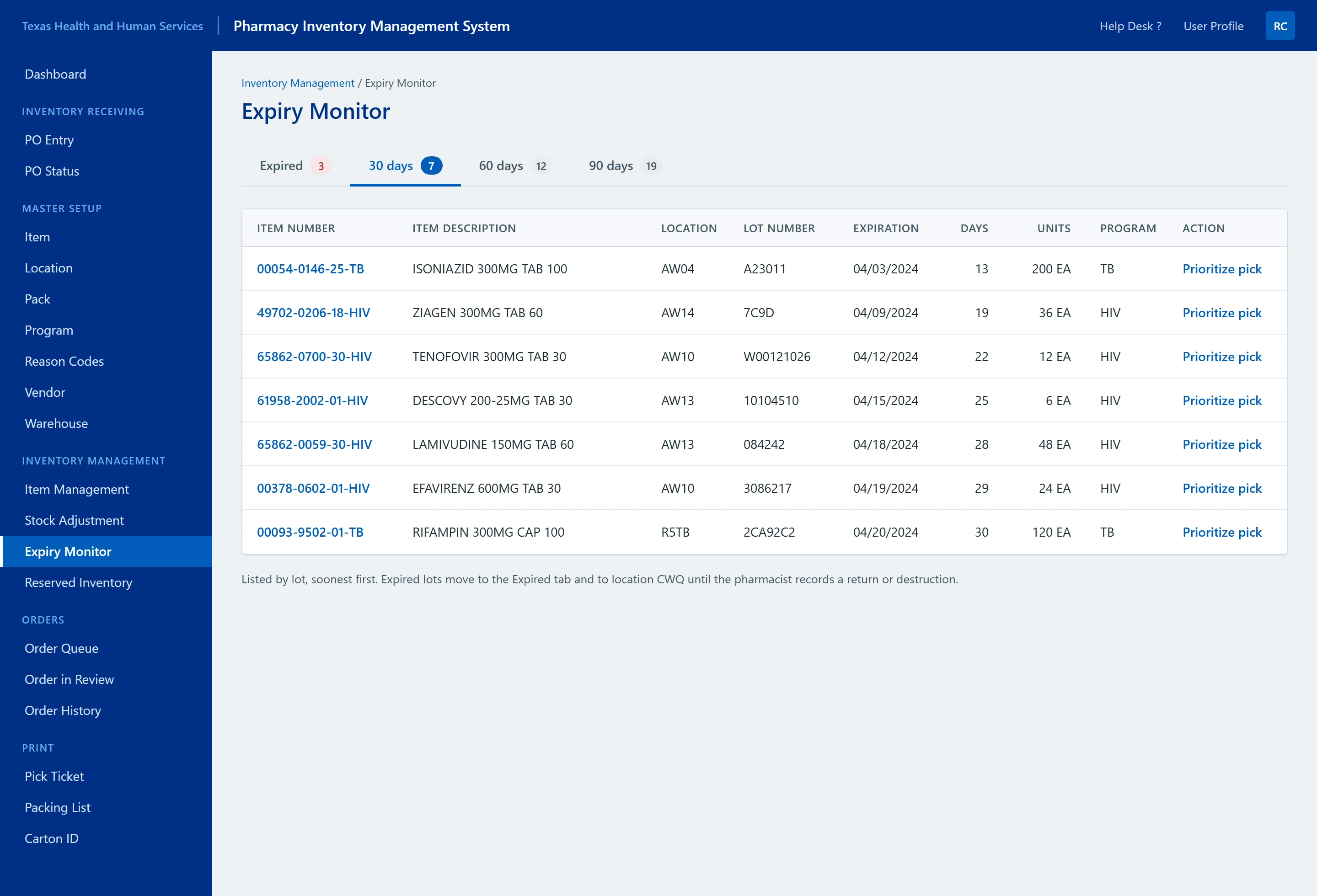
Decision one on the desktop. Lot, location, quantity and expiration on one row; the expiry view orders lots by the time remaining.
3. Review orders with explicit status
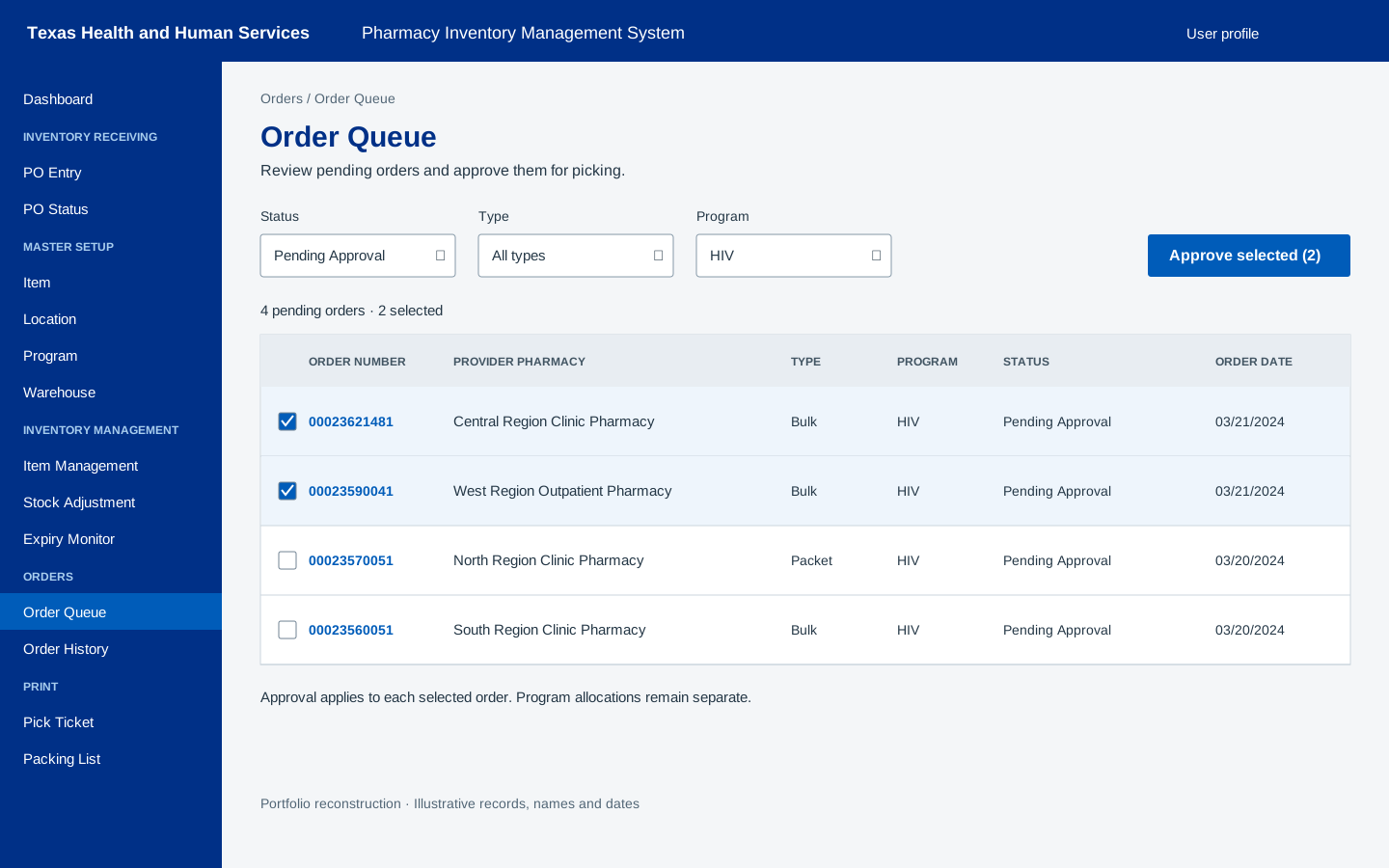
Decision three. Status in words beside colour, the program on every row, and filters for the work staff actually review.
What changed
What a receipt is now, compared with what it was.
- Receiving is a guided four-step task on one device: select the order, scan the item, choose the location, confirm. The record and the shelf agree at the moment of the receipt rather than after a correction.
- The desktop shows lot, location, quantity and expiry on one row, and orders lots by the time remaining, so what needs attention is visible without opening each record.
- Order and purchase-order status reads in words, with the program on every row, so a list can be read without colour and an allocation cannot be missed.
Delivered to the test environment in November 2023. No usability testing of the redesign was run and no production measurement exists, so the study claims the interface and not a result.
What was mine
- What I owned
- The evaluation of the legacy application, the desktop and handheld flows, the prototypes in the Texas HHS palette, and the responsive React front end with its reusable components.
- What I did not
- The services, the data model and the allocation rules were the wider team's. The cause of the record mismatches was never established, and the redesign was not usability tested; both are stated where they matter.
Reflection
The next validation should follow one receipt from the handheld through to the desktop record, including an interruption and a failed update, rather than judge the screens in isolation. That is the test that would say whether decision one holds on the floor.